Table of Contents
ID card printers have become an essential tool for organizations across various industries, including healthcare, education, manufacturing, and government offices. Choosing the right ID card printer can be overwhelming, especially with so many options available. In this comprehensive guide, we break down the most popular ID card printer brands and models, their features, advantages, and disadvantages to help you make an informed purchase decision.
As an Authorized HID Global Solution Provider, Groove Identification Solutions Inc. proudly supports Canadian organizations with expert advice, genuine supplies, and local service for HID Fargo, Zebra, Evolis, and Matica printers.
Understanding the Types of ID Card Printers
Before investing in any system, it helps to know the main categories available through Canadian distributors.
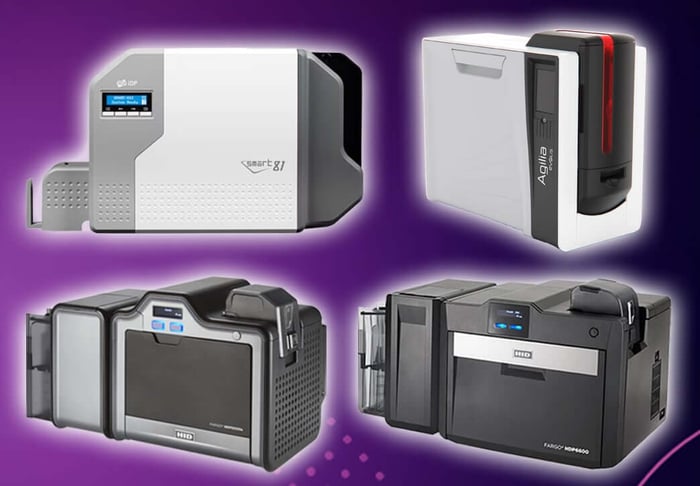 1. Direct-to-Card (DTC) Printers
Print directly on the card’s surface. Fast and cost-effective for standard employee or visitor badges.
- Examples: HID Fargo DTC1250e, Zebra ZC100, Evolis Zenuis 2
- Typical Price: CA $1,200 - $2,500
2. Retransfer (Reverse Transfer) Printers
Use a two-step process for superior edge-to-edge print quality and durability - ideal for smart or proximity cards.
- Examples: HID Fargo HDP5000e, Matica XID8100, Evolis Agilia
- Typical Price: CA $3,000 - $6,000+
3. High-Security & Lamination Printers
Add holograms or UV overlays for tamper resistance and long-term card life.
- Examples: HID Fargo HDP6600 w/ laminator, Matica XID8300
- Typical Price: CA $4,000 - $9,000
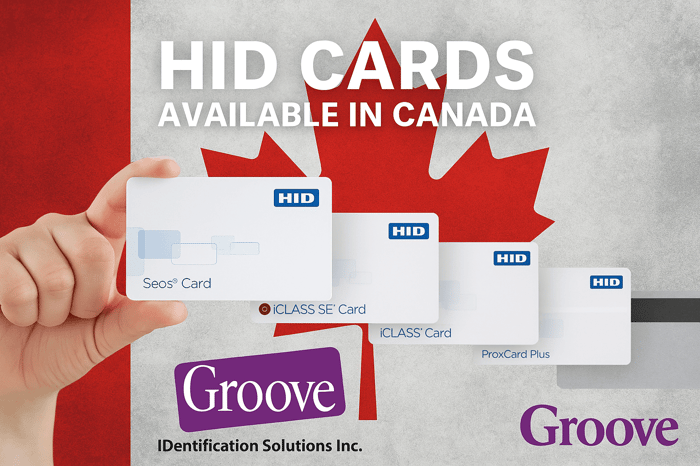
Most printer models offers encoding options for magnetic stripes, MIFARE, HID Prox, iCLASS, or Seos credentials so you can integrate easily with your existing access-control system.
Direct-to-Card vs. Retransfer Printing ID card printers
Direct-to-Card (DTC)
- Prints directly onto the card surface
- Faster and more affordable
- Fewer Prints per Cartridge (100 - 300 prints)
- May not produce edge-to-edge printing
- Minimal maintenance required
Retransfer
- Prints image onto a film that is then fused to the card
- More Prints per Ribbon (500 - 1000 prints)
- Produces higher-quality, edge-to-edge prints
- More Security Features
- More expensive and requires more maintenance
Key Features to Consider
Before diving into specific ID card printers brands and models, let’s take a look at the most important features to consider when evaluating ID card printers:
- Print Technology: Direct-to-card (DTC) or Retransfer printing.
- Print Volume: Low, medium, or high-volume printing capabilities.
- Print Quality: Resolution (300 - 1200 DPI) and colour range.
- Card Types: PVC, composite, magnetic stripe, smart cards, proximity cards.
- Connectivity: USB, Ethernet, Wi-Fi, Networkable
- Security Features: Resin Scrambling, Holograms, Watermarks, UV Printing
- Ease of Use: Software interface, maintenance, card loading, consumables.
The Hidden Costs of Card Printing
Purchasing a printer is only part of the equation. Understanding the long-term expenses for ribbons, cards, maintenance, and downtime ensures accurate budgeting.
Ribbons & Supplies
- Printer Ribbon: CA $70 - $500 per 250 - 500 cards
- Composite or PVC cards: CA $0.25 - $0.70 each
- Laminates or holograms: CA $0.50 - $2.00 per card
Cleaning & Maintenance
Regular cleaning extends printhead life and prevents costly breakdowns.
- Cleaning kits: CA $30 - $60 each, used every 1,000 cards
- Unmaintained printers might need $200 - $600 repairs for internal rollers, printheads, electrical components, or general maintenance
Downtime & Support
Every hour a badge printer is down can disrupt facility access and onboarding. Partnering with Groove Identification Solutions, a Canadian HID Authorized Provider means quick repair turnaround, local parts, and optional loaner printers - saving days of lost productivity.
Top ID Card Printer Brands
1. HID Fargo ID Card Printers
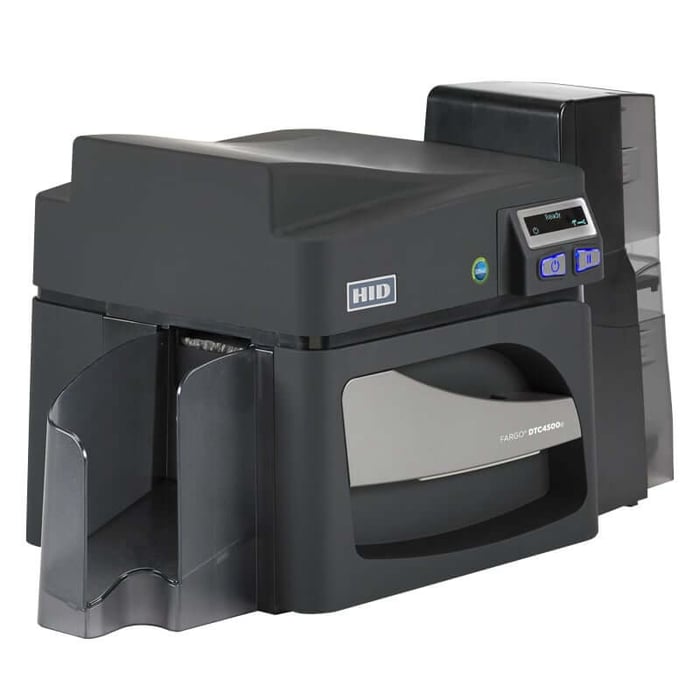
Popular Models: Fargo HDP5000e, Fargo DTC1250e, Fargo HDP6600
Fargo DTC1250e 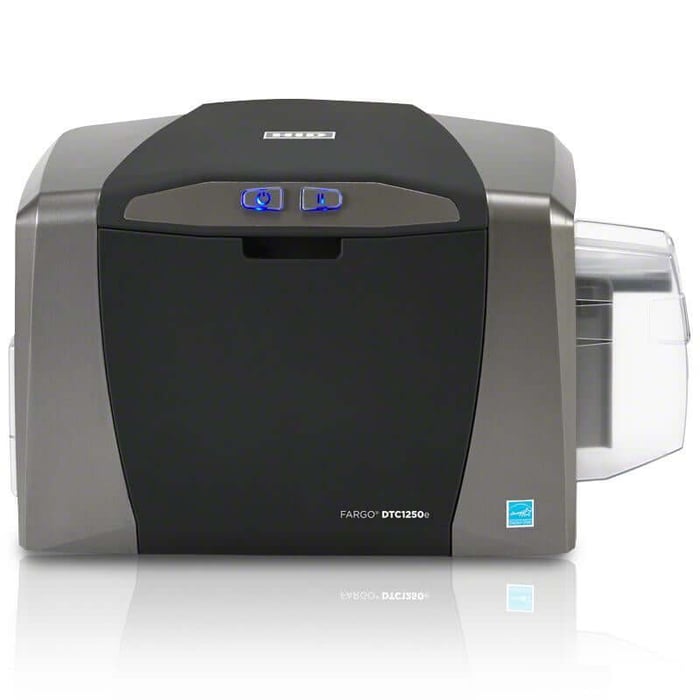
Pros:
- Prints full colour YMCKO card in 16 seconds.
- Inexpensive entry level ID Card Printer
- Data Encryption AES-256 and Resin Scramble.
- Supports Eco Refill Ribbons and Rewritable Technology.
- 3 Year Manufacturer Warranty
Cons:
- Not Edge to edge printing.
- Dirt and debris on cards can cause printhead damage.
- Limited Ribbon Options
Fargo HDP5000e 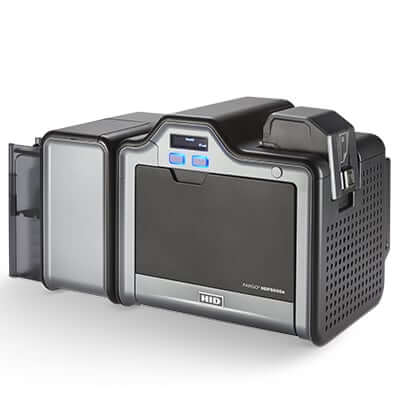
Pros:
- True Edge to Edge Printing.
- The Printhead never touches the card
- Retransfer Films adding more physical protection to your cards.
- Very versatile with lamination and dual sided modules available.
- 4 Year Manufacturer Warranty
Cons:
- Slow Printing 29-32 seconds per card.
- Warm Up Delay 2-5 minutes, temperature dependant.
- Large desktop footprint with added modules.
Fargo HDP6600 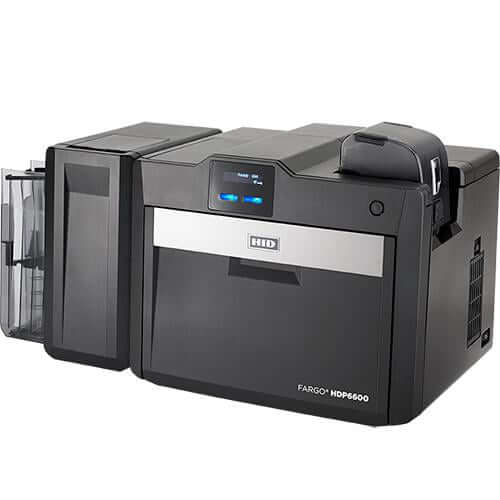
Pros:
- 600 DPI resolution allowing more clear "micro-text" and images.
- Reaches operating temperature in under 60 seconds.
- High speed printing,16 Seconds per card while maintaining retransfer quality
- Waste-less Lamination with the optional LMX Module.
Cons:
- Requires High Heat ID Cards to avoid warping.
- High initial investment
- More maintenance required and higher consumable cost.
Pros for HID Fargo Printers:
- Excellent print quality (especially with retransfer models)
- Durable, long-lasting prints
- Ideal for high-security environments
- HID Certified Technicians at Groove ready to help
Cons for HID Fargo Printers:
- Higher upfront cost
- Retransfer printers require more maintenance
Best For: Hospitals, Universities, Government facilities
2. Evolis ID Card Printers
Popular Models: Evolis Primacy 2, Zenius 2, Agilia
Evolis Zenius 2 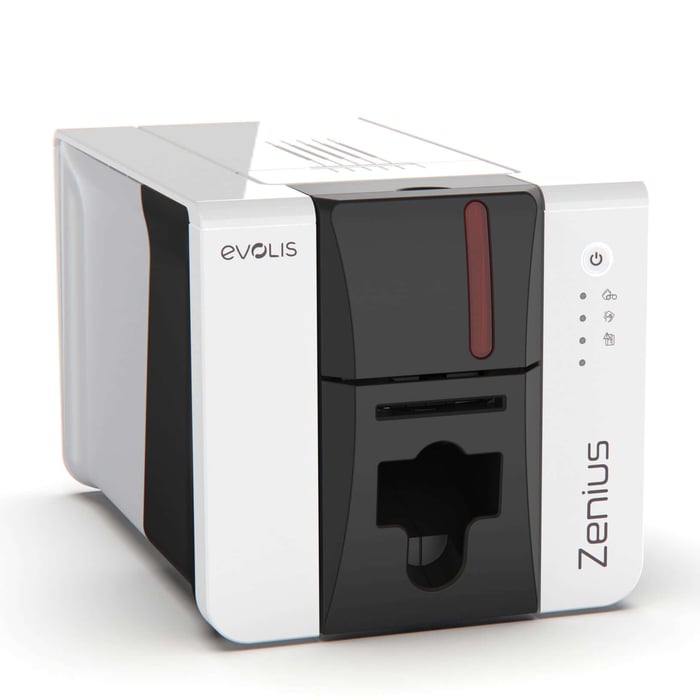
Pros:
- Low Cost ID Card Printer.
- Small Desk Footprint ideal for reception desks.
- Supports rewritable technology for temporary ID Cards.
- Digital Erasing to automatically wipe sensitive print data.
Cons:
- Strictly Single Sided printing.
- Small 50 card input feeder and 25 card output hopper.
- No Edge to edge Printing.
Evolis Primacy 2 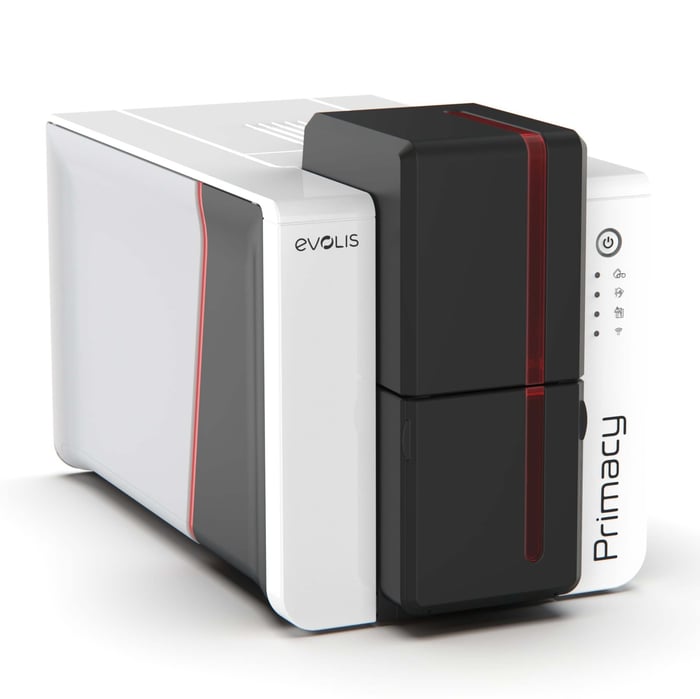
Pros:
- Fast 13 seconds per card printing.
- Field upgradeable to dual sided and lamination.
- Standard 300 DPI resolution, but up to 300x1200 DPI in Monochrome.
- Kineclipse Data Protection masks sensitive information on the ribbon.
Cons:
- Printhead Vulnerability when exposed to dust
- No Over the Edge ID Card Printing
- If a Print Job is canceled ribbon can be wasted.
Evolis Agilia 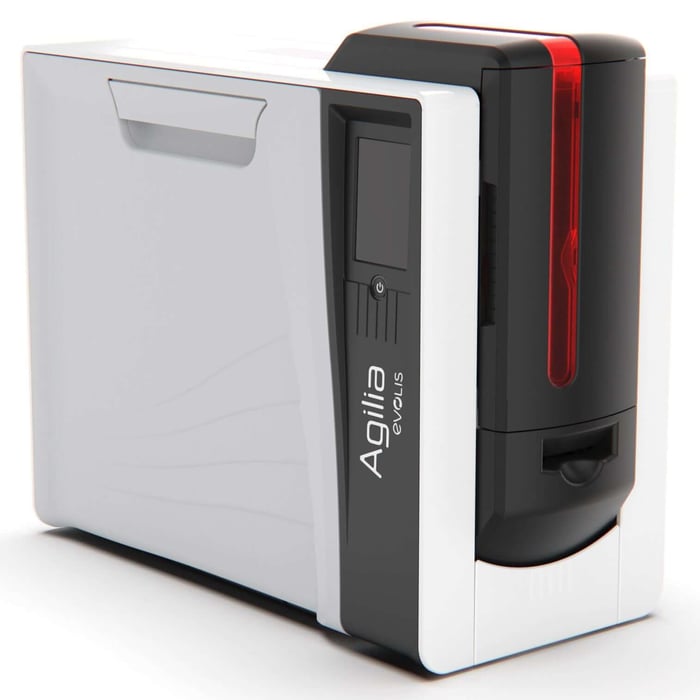
Pros:
- Native 600 DPI resolution for high quality photos.
- Over the Edge Printing for no White Borders and 100% card coverage.
- 200 Card Input Feeder and 100 Card Output Hopper.
- Lifetime Printhead Warranty from Evolis.
Cons:
- Higher operational cost requiring both Ribbon and Retransfer film.
- Larger Printer Model using more desk space.
- Takes 2-4 minutes to warm up to operating temperature.
Pros for Evolis Printers:
- User-friendly ID card printers design
- Compact and efficient
- Optional encoding and lamination modules
Cons for Evolis Printers:
- Slower printing on some models
- May require frequent cleaning
Best For: Schools, small to medium-sized businesses
3. Zebra ID Card Printers
Popular ID card printers Models: Zebra ZC100, ZC350, ZC10L
Zebra ZC100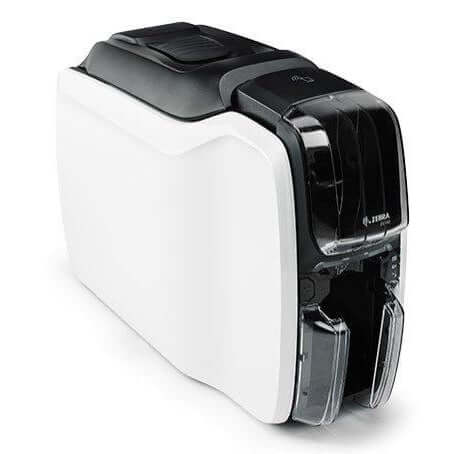
Pros:
- Slim Printer Profile for a small footprint (6.2 inches wide)
- Auto Adjusting Hopper. Feeder automatically adjusts to card thickness 10-40mm
- Comes Standard with AES-256 Data Encryption
- 3 Year Manufacturer Warranty
Cons:
- Single Sided Printing Only and cannot be field upgraded later.
- Only supports Mag Stripe Encoding as an add on.
- No Edge to Edge Printing, leaving a small white border on ID Cards.
- Basic LED light interface making troubleshooting more difficult.
Zebra ZC350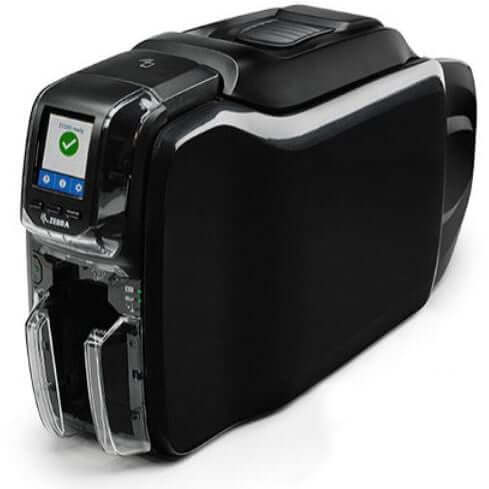
Pros:
- Fast 16 second Per Card Full Colour Printing, and 4 second Per Card Monochrome Printing.
- LCD Interface for visual instructions for clearing jams and more.
- Speciality Ribbon Support for Metallic and colour shifting.
- Full Encoding Capabilities for Mag Stripe, UHF RFID, and Contactless Smart Cards
Cons:
- No Edge to Edge Printing, leaving a small white border on ID Cards.
- Expensive Consumables for longer shelf life ribbons.
- More moving parts means more maintenance.
- Possible Communication issues with Encoding over Ethernet.
Zebra ZC10L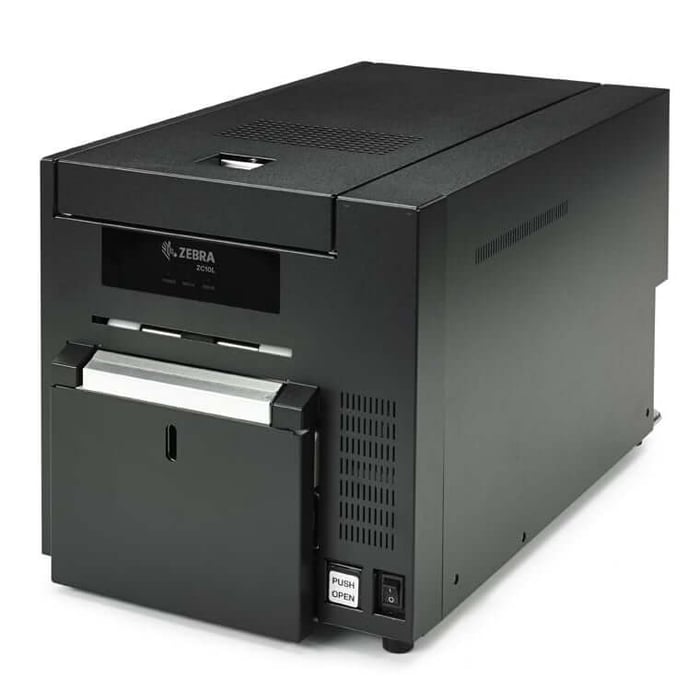
Pros:
- Integrated Design Software with Zebra CardStudio
- Specialized Card and Ribbon Kit Combos for 3.5" x 5.5" ID Cards
- High Quality 300 DPI Images
- True Edge to Edge Printing for full bleed colour cards
- On-Site flexibility for real time design changes
Cons:
- Single Sided Printing Only.
- Only Supports 3.5" x 5.5" card printing, and is not able to be adjusted for standard CR80 Cards.
- Significant weight of 45 Pounds making it less portable.
- High initial investment ranging from $9,000 - $11,000
Pros for Zebra Printers:
- Rugged design and reliable
- Fast print speeds
- Modular upgrades available
- Large Format ID Card Printers
Cons for Zebra Printers:
- Software may have a learning curve
- Print quality not as crisp as retransfer models
- Expensive Consumables
Best For: Corporate Offices, Retail Environments, Events & Tradeshows
4. Matica ID Card Printers
Popular Models: Matica MC110, Matica MC660, Matica XID8600
Matica MC110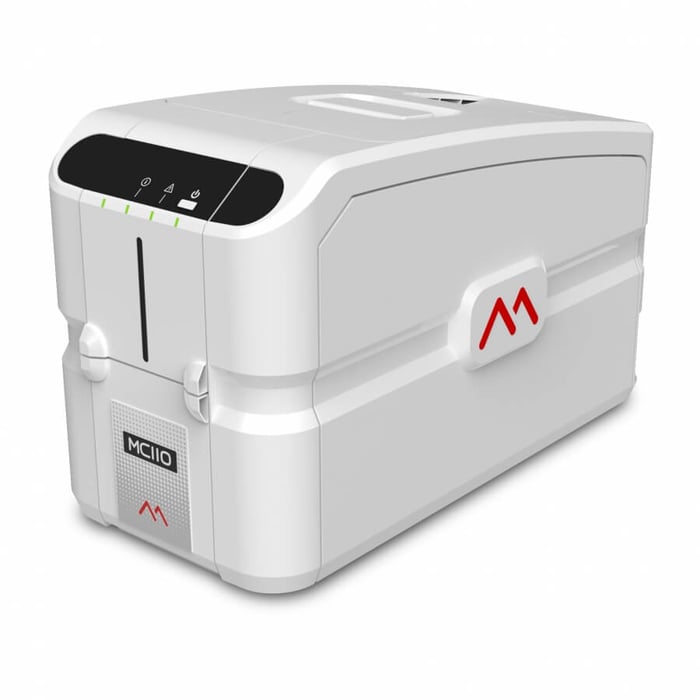
Pros:
- Plug and Print operation with 4 LED status indicators for easy troubleshooting.
- Under $2,000 investment
- Field Upgradeable
- Affordable Consumables
Cons:
- No Edge to Edge Printing, leaving a white border.
- PVC cards only and struggles with non PVC materials such as PET or Polycarbonate
- Small text is not as clear
- Manual Card Thickness adjustments needed.
Matica MC660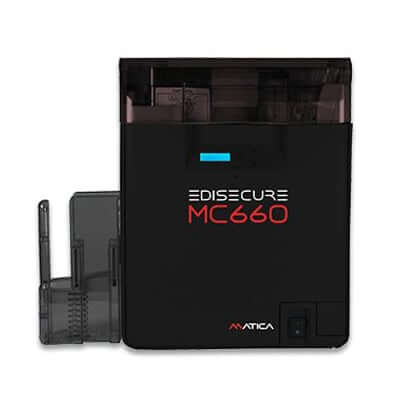
Pros:
- Vibrant 600DPI resolution for high definition images and crisp text.
- 170 Cards per Hour
- Retransfer Printer for better card print durability
- 250 Card Input and Output Hopper
Cons:
- 2 - 5 minutes to warm the printer up. Temperature dependant
- More expensive Printer and consumables requiring printer ribbon, and retransfer film.
- Large Footprint 10" x 17"
Matica XID8600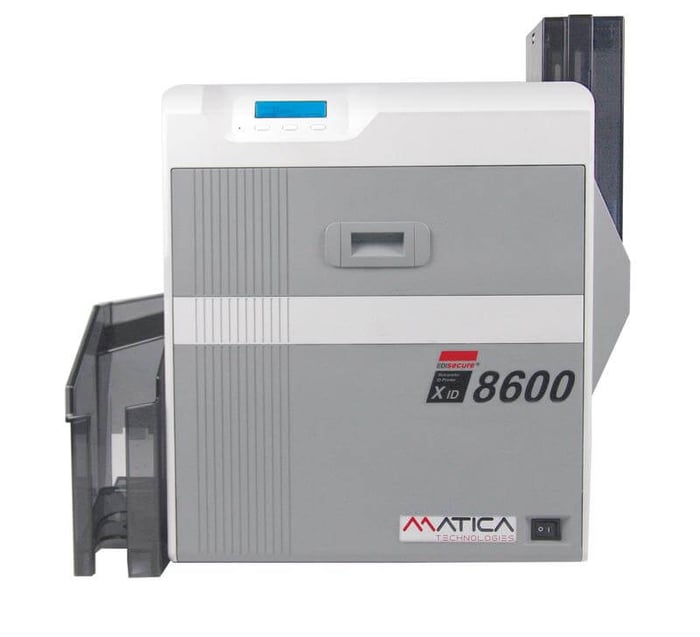
Pros:
- Vibrant 600DPI resolution for high definition images and crisp text.
- Heavy Duty all metal chassis designed for constant use.
- Retransfer Printer for better card print durability
- Micro text precision, and can print text as small as 1.3pt
Cons:
- More expensive consumables requiring printer ribbon, and retransfer film.
- Heaviest and largest printer weighing 30 pounds
- Sacrifices print speed for quality. Prints 120 cards per hour
Pros for Matica Printers:
- Superior Print quality for Retransfer Printers
- Digital Shredding for added security, and IPsec encryption
- Field upgradeable
Cons for Matica Printers:
- Slower compared to others in same class
- Slower warm up for retransfer printers
- Large footprint
- Expensive Consumables
Best For: Membership organizations, K-12 Schools, Colleges and Universities
Tips for Maintaining Your ID Card Printer
- Regularly clean your printer with manufacturer-recommended cleaning kits
- Keep software and printer firmware up to date
- Use original ribbons and supplies to prevent malfunctions
- Store ID cards in a clean, dust-free environment to prevent printhead scratches and printing errors
Groove is a Canadian leader in secure photo ID solutions
Groove serves industries across healthcare, education, manufacturing, transportation, and more. We’re not just a supplier - we’re a trusted partner. Our team has over 20 years of experience helping customers choose the right card printers, access cards, and photo ID accessories to fit their needs and budget.
At Groove, we offer a full range of products and services, including:
- ID Card Printers: We sell and support all major brands including HID Fargo, Evolis, Zebra, and Matica.
- Access Cards: We carry a wide selection of RFID cards including Proximity, Seos, iCLASS, MIFARE, and DESFire.
- Photo ID Supplies: Get your printer ribbons, cleaning kits, and blank PVC cards all in one place.
- Card Accessories: Shop custom lanyards, badge holders, badge reels, and clips to complete your badging program.
- Mobile Credentials: Ask us how to move from physical cards to mobile access using HID Mobile Access.
- Visitor Management Solutions: We offer digital visitor sign-in systems to keep your facilities safe and professional.
- Card Printer Service: Groove provides free phone support and on-site service in select areas.
- Custom Printing: Need cards printed for you? We offer card printing services for schools, events, and businesses.
- Expert Advice: We help you choose the right solution with free consultations and friendly advice.
Want expert help choosing your ID card printer? Contact Groove today or browse our full lineup of printers, access cards, and accessories online.
Phone: 888-940-3645
Email: carmen.ritter@groovebadges.com
Web: groovebadges.com